
Xpansions
Xpansions are snippets. We just wanted to sound fancy. It turns a short trigger into the full text you need, right inside the app you are already using. Save the message once, type the trigger later, and JAST handles the rest.
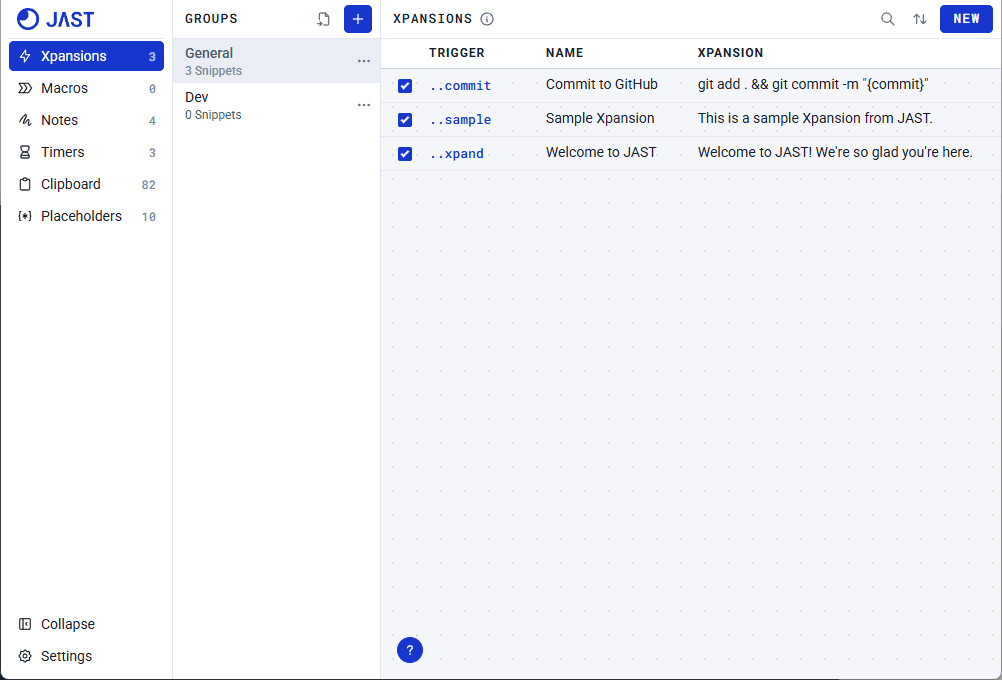
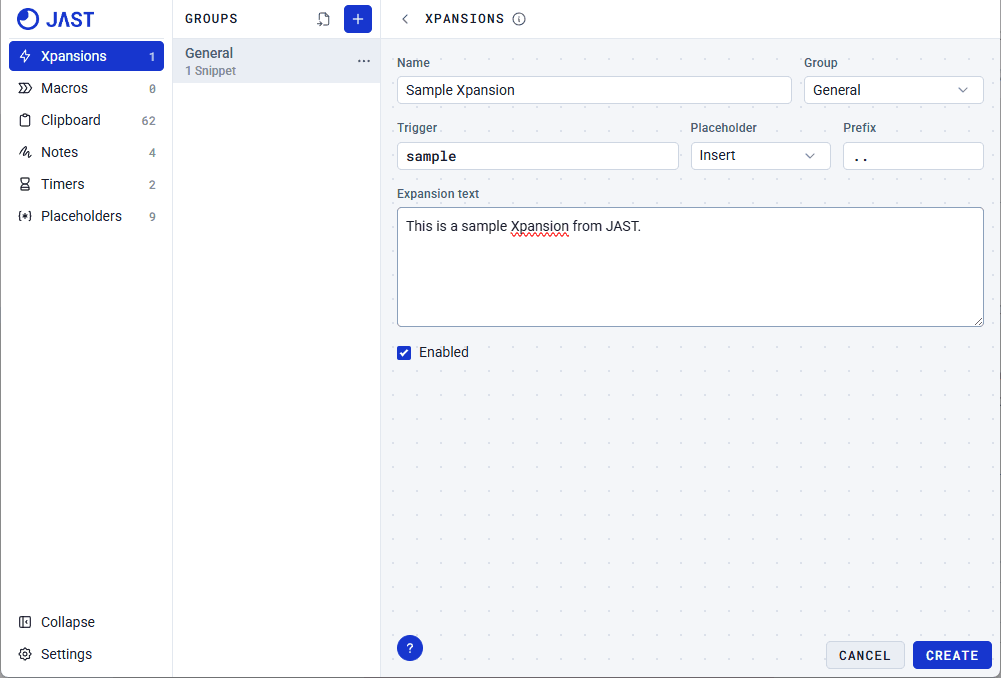
Create an Xpansion with these easy steps:
- Click New on the top-right
- Fill in the details
- Click "Create"
After creating an Xpansion, test it outside the app like Notepad.
Customize Xpansions
If you need to customize Xpansions, you can use Placeholders. Drop a placeholder anywhere inside an Xpansion.
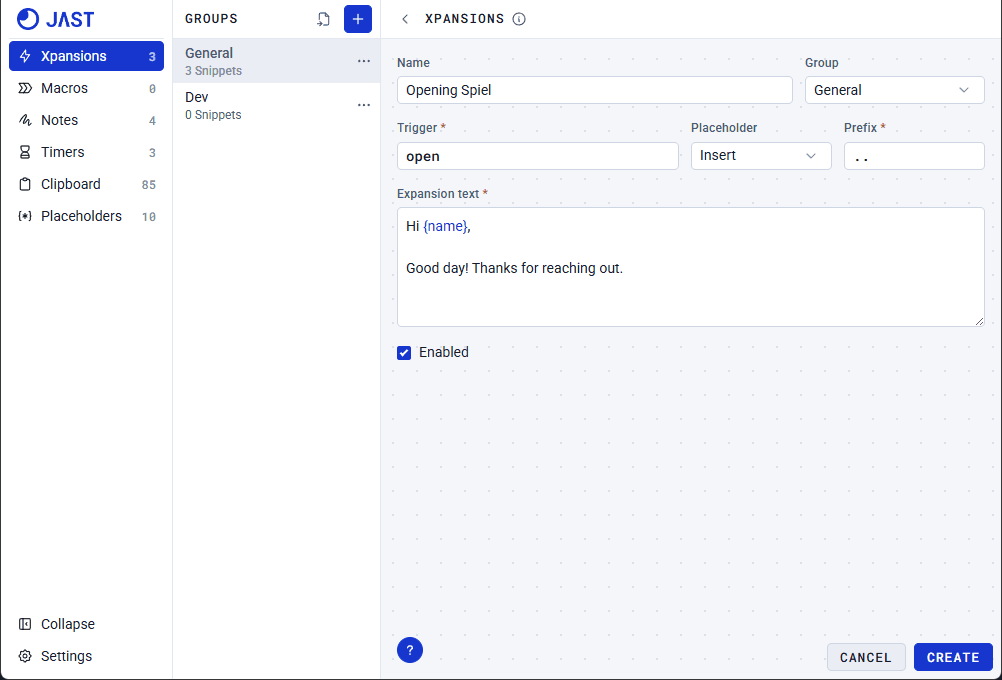
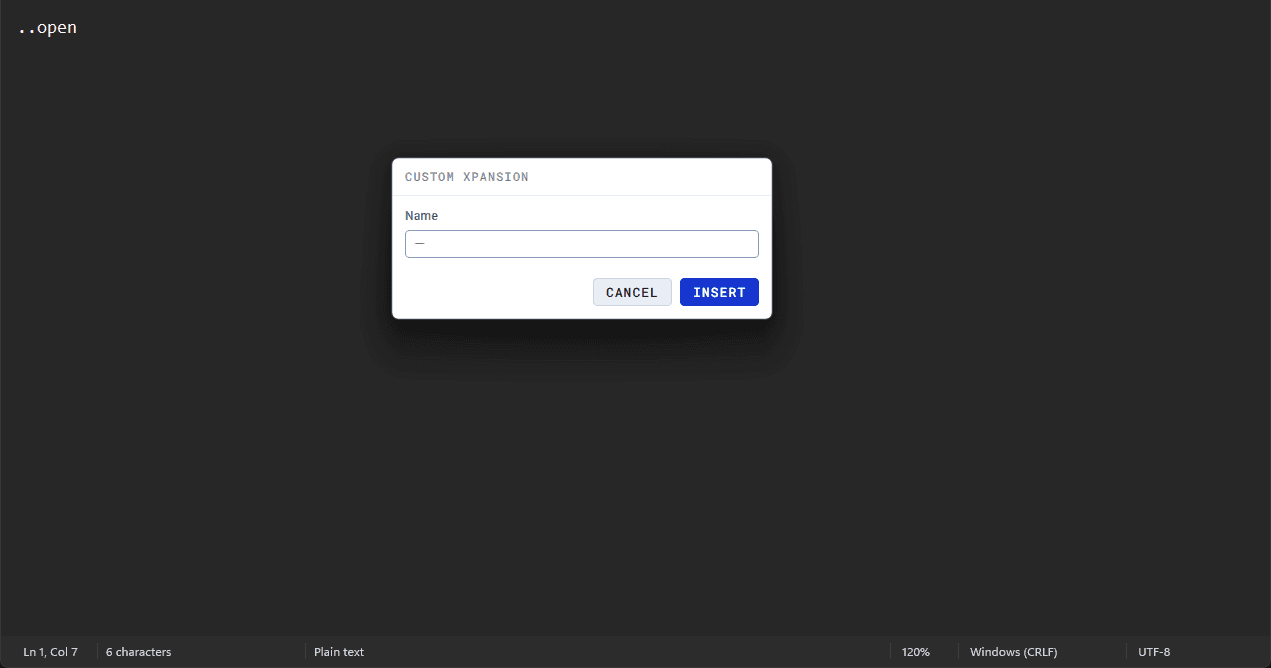
A popup appears when an Xpansion with a Placeholder is triggered.
Dynamic Placeholders
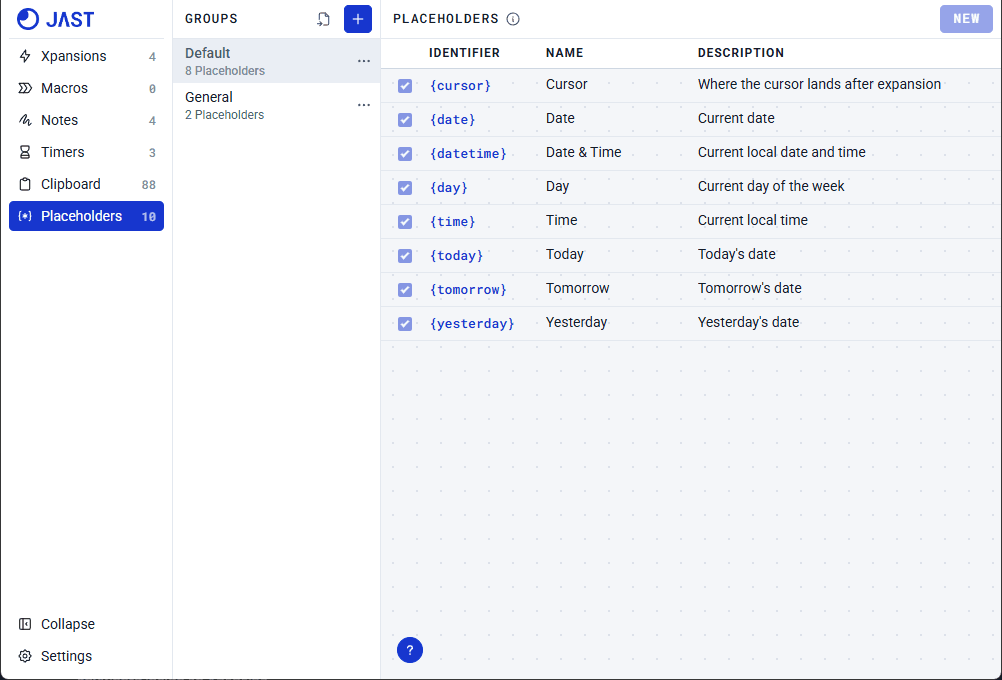
Use dynamic placeholders to automatically add the dates, time, or move your cursor to a specific spot on the snippet once expanded.
Your question was not covered? Contact us