
Call JAST
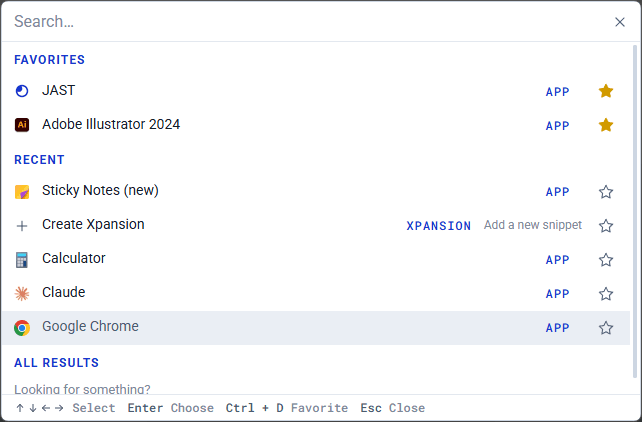
Call JAST is a search bar that pops up over whatever you're doing. Type a few letters and run an Xpansion or macro, paste something from your clipboard, open a note, or launch an app. It's for those moments when remembering the trigger is the slow part.
The default hotkey is Ctrl + Space (Win) or Opt + Space (Mac). You can change it in Settings > General > Call JAST.
Search everything
One search covers your Xpansions, macros, placeholders, clipboard text, timers, and notes. Use the arrow keys to move and Enter to pick. Choose an Xpansion and JAST types it right into the window you were just in.
Open apps
Call JAST also finds the apps installed on your computer, each with its own icon. They show up first in the results, so typing "chr" and hitting Enter opens Chrome. Type "apps" to see all of them.
Favorites and Recent
Before you type anything, Call JAST shows your Favorites and the last few things you picked. Click the star on any row, or press Ctrl + D (Win) or Cmd + D (Mac), to pin it to Favorites. Starred items stay out of Recent, so nothing shows up twice.
Create something new
Type the name of what you want to make, like "macro", "kanban", or "pomodoro", and pick the Create row. JAST opens a blank one ready to fill in. "Stopwatch" is the exception: it starts one right away in a small window in the corner of your screen.
Your question was not covered? Contact us